
BESTBRAIN • VOICE AGENTS
AI Voice Agent Builder for Business Calls
Design voice agents with clear instructions, business knowledge, and connected tools. BestBrain brings voice configuration and conversation analysis into one workspace so your team can start with a focused calling use case.
Request a Demo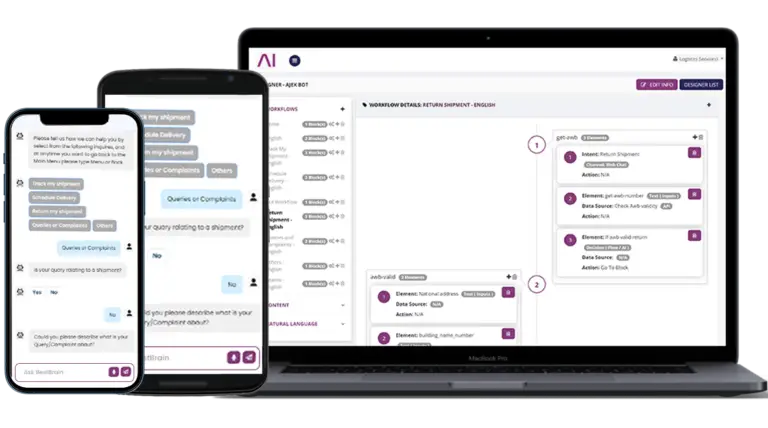
Build around your business process
Give every call a clear purpose
Configure the greeting, system instructions, language, and model settings around the questions your agent should handle.
Use your business knowledge
Attach relevant documents and prepare answers for common product, service, and policy questions.
Connect the next action
Define tools and workflow steps for actions such as recording an enquiry or checking information in a business system.
Evaluate the conversation
Configure evaluation criteria, summary prompts, and structured data fields to review whether the conversation met its goal.
From a call to a useful business outcome
A voice agent is most useful when it has a specific job. For example, an enquiry agent can ask about a caller’s needs, capture the agreed details, and pass the context into a follow-up workflow. Your team decides which questions the agent can answer and when a person should take over.
BestBrain workflows use n8n and Activepieces. The application connection, required actions, permissions, and failure handling are configured for your process. Explore workflow integrations.
Start with a measured voice pilot
- Choose one call type and define a successful outcome.
- Prepare approved instructions and a small, current knowledge base.
- Test ordinary questions, missing information, interruptions, and requests for a person.
- Confirm phone setup, supported languages, tool permissions, and operating costs with the team.
- Review summaries and evaluation results before expanding the use case.
For an appointment workflow, confirm calendar availability, booking rules, and confirmation steps in your demo. For lead qualification, agree which details the sales team needs and how they receive the handoff.
Frequently asked questions
What can I configure in a voice agent?
The BestBrain workspace includes agent instructions, language and model settings, knowledge documents, tools, voice settings, and analysis configuration. Discuss the exact setup required for your calling scenario.
Can a voice agent use the same business knowledge as chat?
BestBrain supports knowledge for chat and voice agents. Prepare the relevant source material and test how each channel answers your real customer questions.
How do we review call outcomes?
Define evaluation criteria, a summary prompt, and structured fields for the information you need. Use a pilot to check the quality of the captured results and your follow-up process.
See your use case in BestBrain
Bring your current process, business information, application stack, and expected volume. We’ll discuss a focused pilot and the outcome your team wants to measure.
Discuss Your Use Case